Everything you need to run client work. Nothing you don't.
Plan projects, share files, invoice clients and manage who sees what, in one workspace that updates live. Every feature is designed for freelancers and small agencies, not for a hundred-person department.
A task list your whole team can run on.
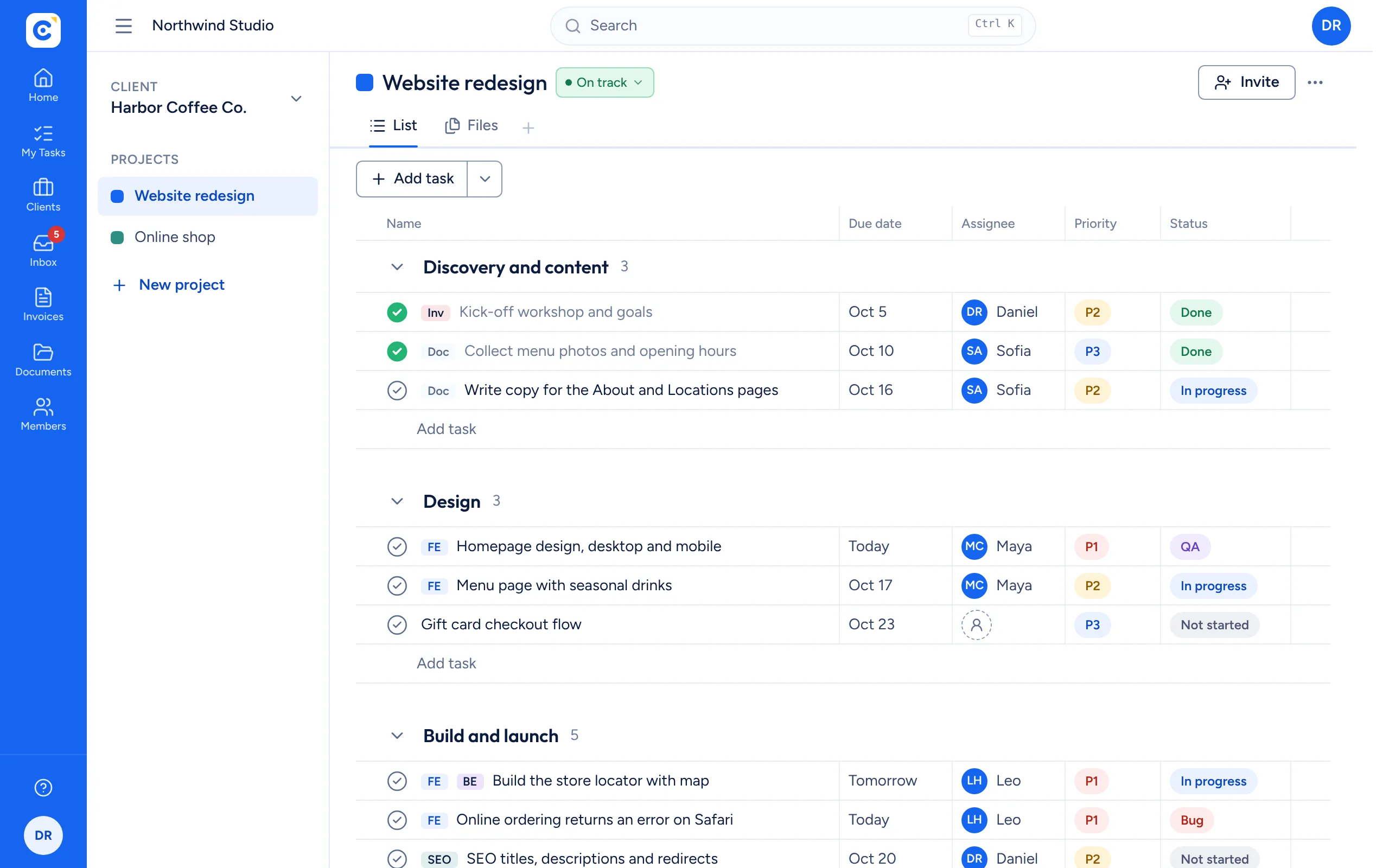
Each project is a list of tasks in sections you name and order. Every task carries an owner, a due date, a priority from P1 to P3 and a status: Not started, In progress, QA, Bug or Done. Sort by any column, drag tasks between sections and see changes from teammates and clients as they happen.
- Priority and status pills you change in one click
- Sort by due date, assignee, priority or status
- Work areas such as Frontend, Backend, SEO and DevOps
Everything about a task, one click away.
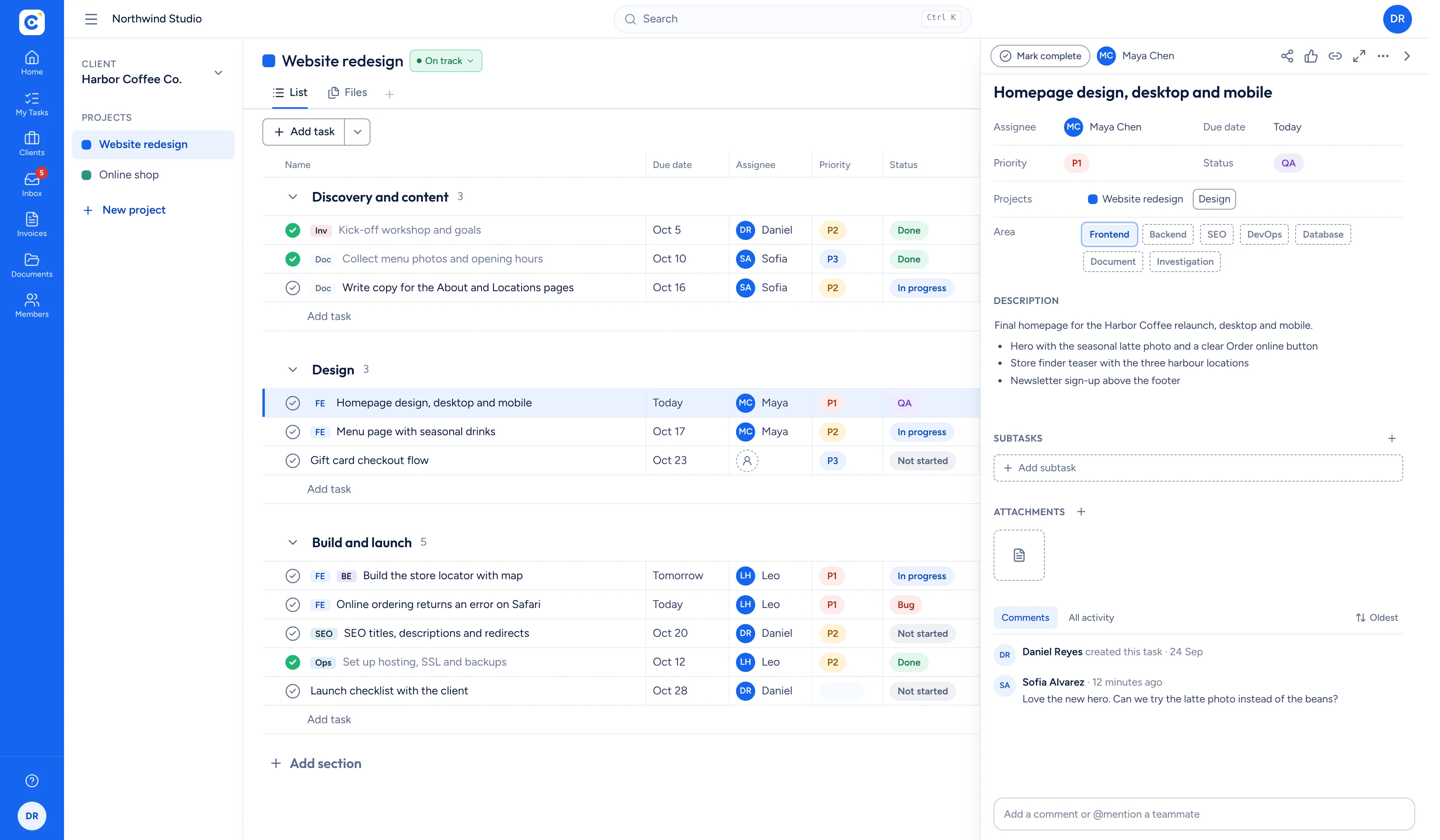
Open a task and its panel slides in beside the list, so you never lose your place. Write a proper description, attach files, discuss it in comments and mention teammates. Clients can reply in the same thread, so decisions stay next to the work.
- Rich text descriptions with lists, links and images
- Comments with mentions and an inbox for replies
- Files attached right where the work is
Every client at a glance.
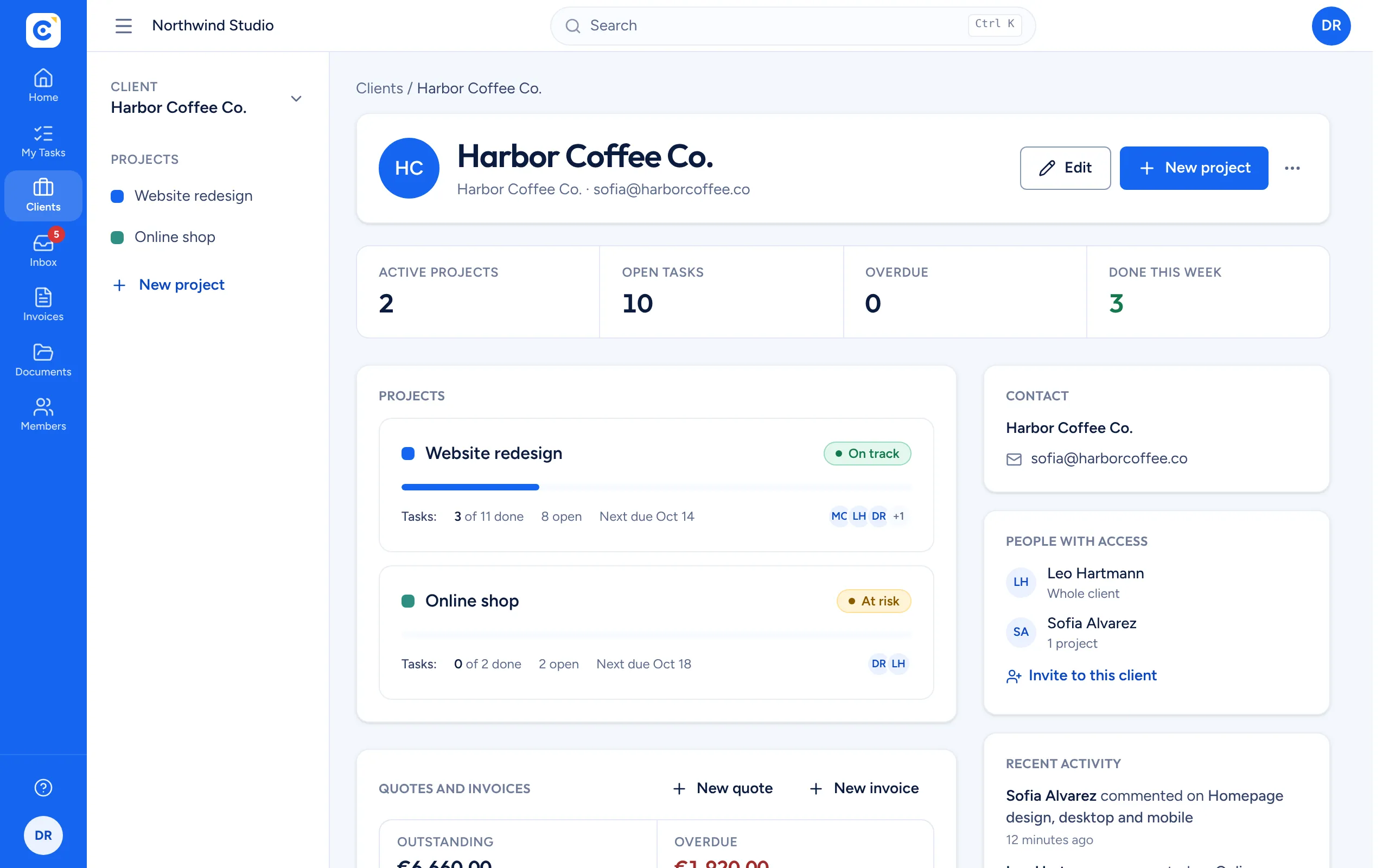
Each client has a page with its projects and their progress, the people who have access, recent activity and its quotes and invoices with what is still outstanding. You see the health of the relationship, not only the task list.
- Progress, open tasks and the next due date per project
- Project status: on track, at risk, off track or on hold
- Billing totals for the client on the same page
Shared folders for every client and project.
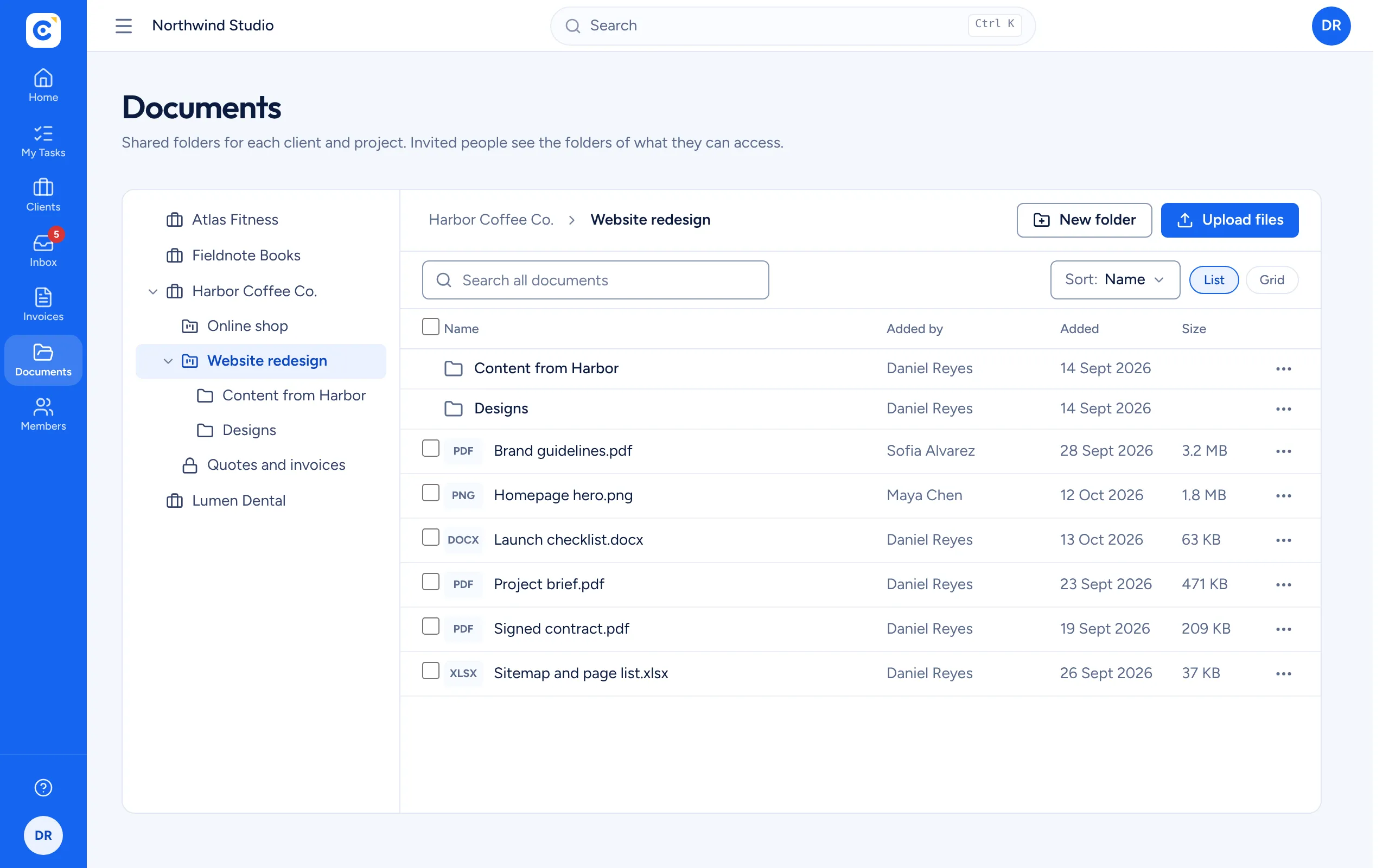
Clientfolk creates a folder for each client and each project the moment you add them. Upload files of any type, create subfolders, preview documents in the browser and download or move several files at once. Each person sees the folders of the clients and projects they are invited to.
- Automatic folders per client and project
- Full screen preview for PDFs, images, video and text
- Up to 25 MB per file, with storage shown in Settings
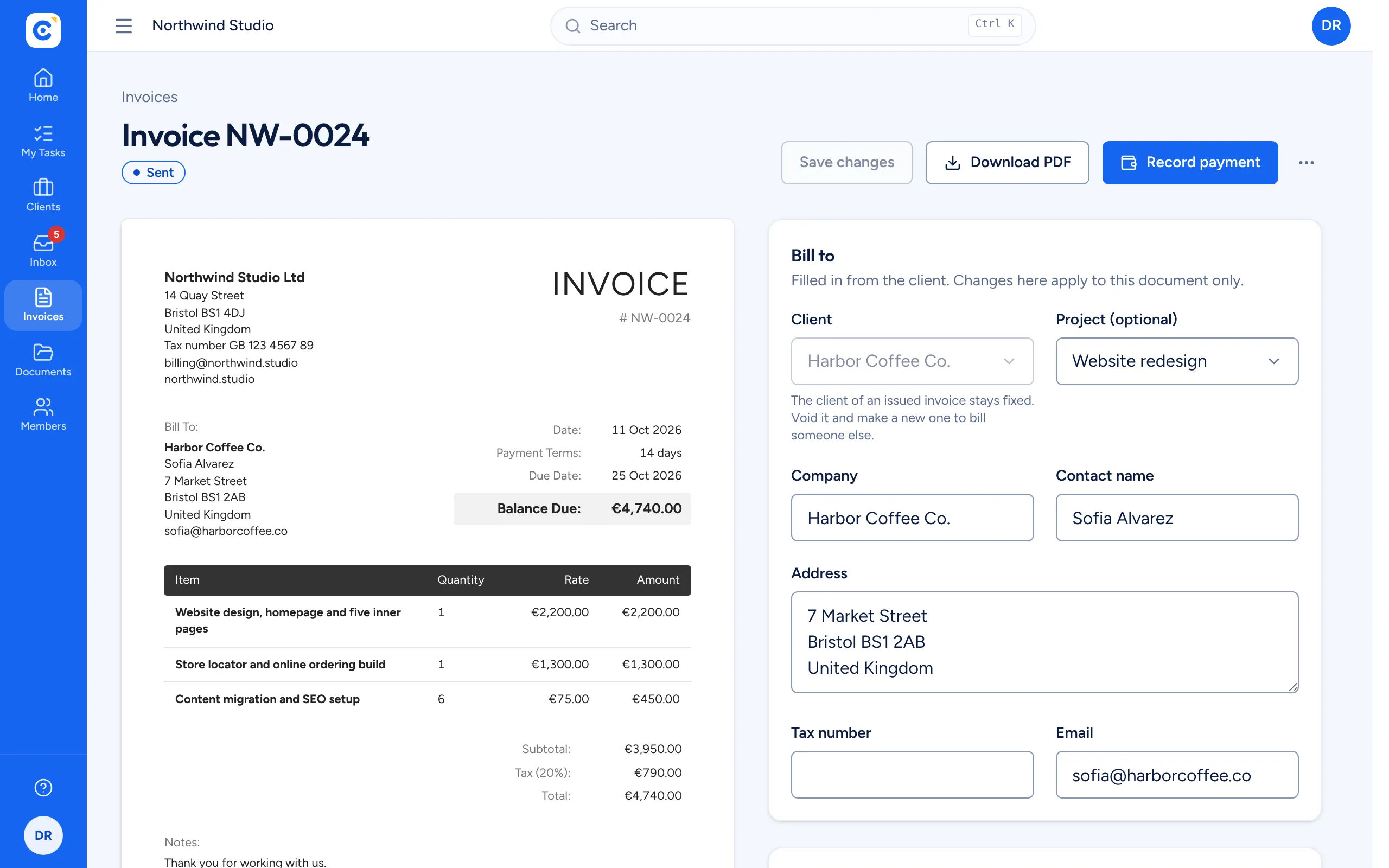
Quotes and invoices that match the work.
Create quotes and invoices from saved line items, with your own numbering, tax rate, currency and payment terms. Convert an accepted quote into an invoice, record partial payments and download a clean PDF with your business and bank details. Overdue invoices stand out on their own.
- Quotes that convert into invoices in one step
- Partial payments with the balance tracked for you
- Outstanding, overdue and paid this month at a glance
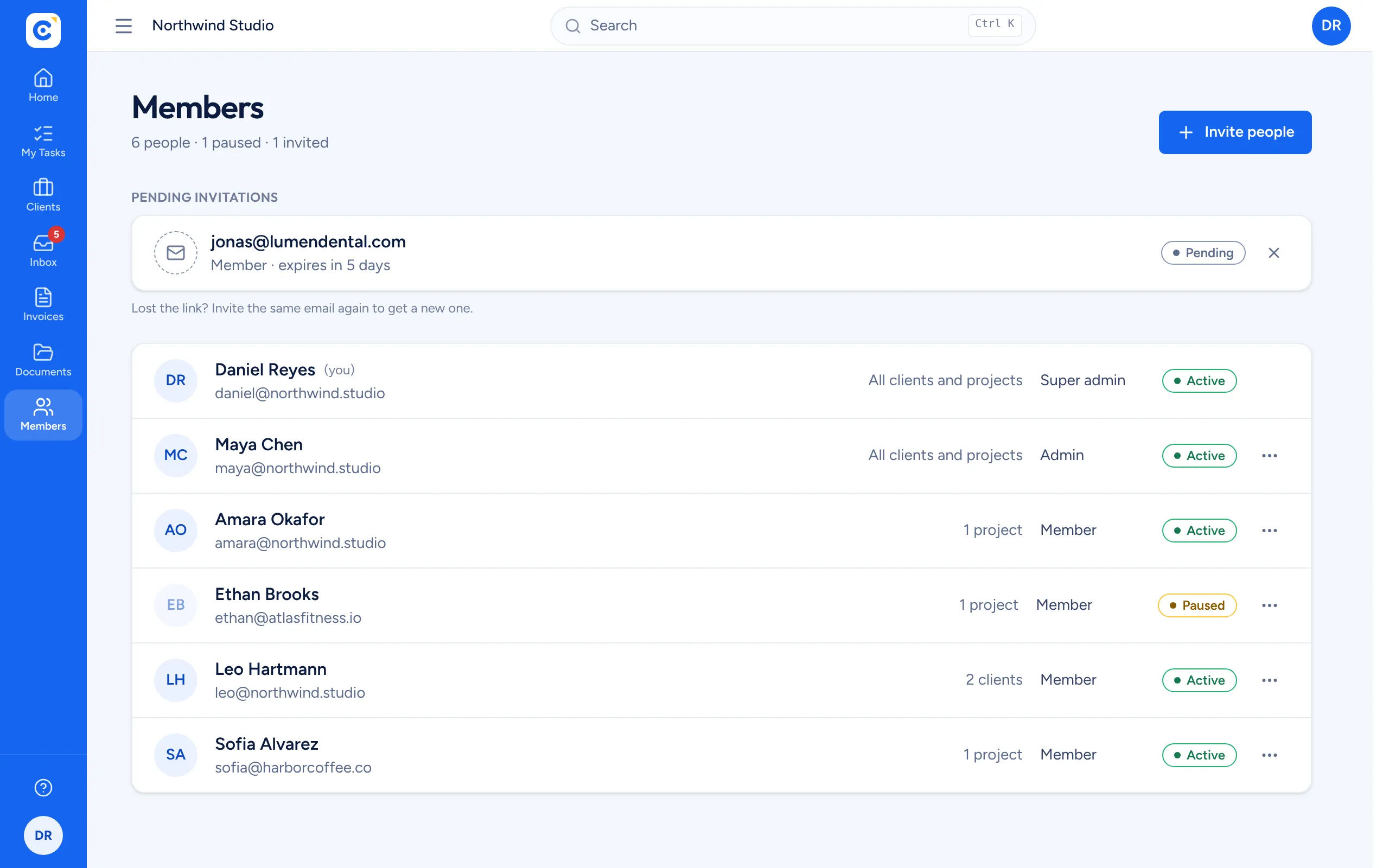
Access that is easy to give and easy to take back.
Every organization has an owner, admins who manage clients, projects and billing, and members who do the work. Give someone access to a whole client or to selected projects, pause them while a contract is on hold, or sign them out of every device. Every change takes effect immediately.
- Access per client or per project
- Pause, resume or remove in one click
- Several organizations under one login
And the details that make it comfortable
Dashboard
Your open tasks, active clients and projects, and the projects that changed most recently.
My tasks
Everything assigned to you across every client and project, with priority and status.
Inbox
New comments and mentions from teammates and clients in one place, with unread counts.
Search
Press Cmd K or Ctrl K to find any client, project or task in a second.
Several organizations
Run your freelance work and an agency side by side, and switch between them from your avatar menu.
Clients as members
Invite client contacts by email. They use Clientfolk for free and see only what you share.
Attachments
Drop designs, contracts or screenshots onto a task or into a comment.
Light and dark
Pick a theme and an accent colour that suit you, or follow your device setting.